SMALL OBJECTS & MINIATURES
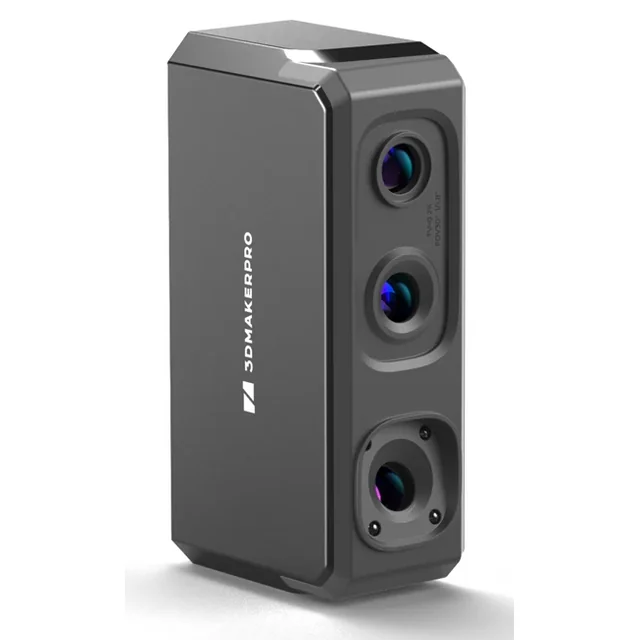
3DMakerpro Seal Lite
A compact option for capturing smaller objects and fine surface detail.
Claimed accuracy: 0.02 mm
Manufacturer specification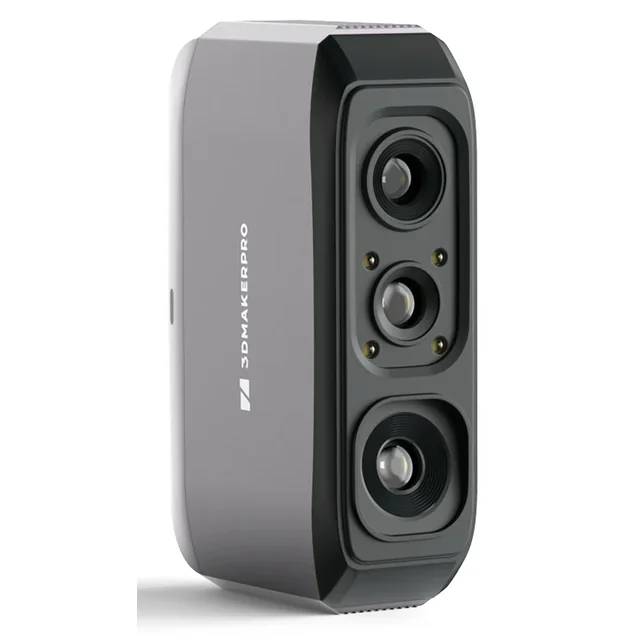
LARGER PARTS & OBJECTS
3DMakerpro Moose Lite
A broader-range option for scanning larger shapes and components.
Claimed accuracy: 0.05 mm
Manufacturer specificationWe may earn a commission from purchases through these links.
Do You Need a 3D Scanner for a 3D Printer?
No. A printer needs a suitable digital model and machine instructions prepared for that printer. Ready-made STL or 3MF files and models created from scratch cover many everyday projects without scanning anything.
A scanner becomes useful when physical geometry is difficult to describe with simple measurements: a sculpted figurine, an irregular handle, or a worn decorative molding. It records the object’s visible surface. It does not automatically recover the original design intent, material properties, or hidden interior.
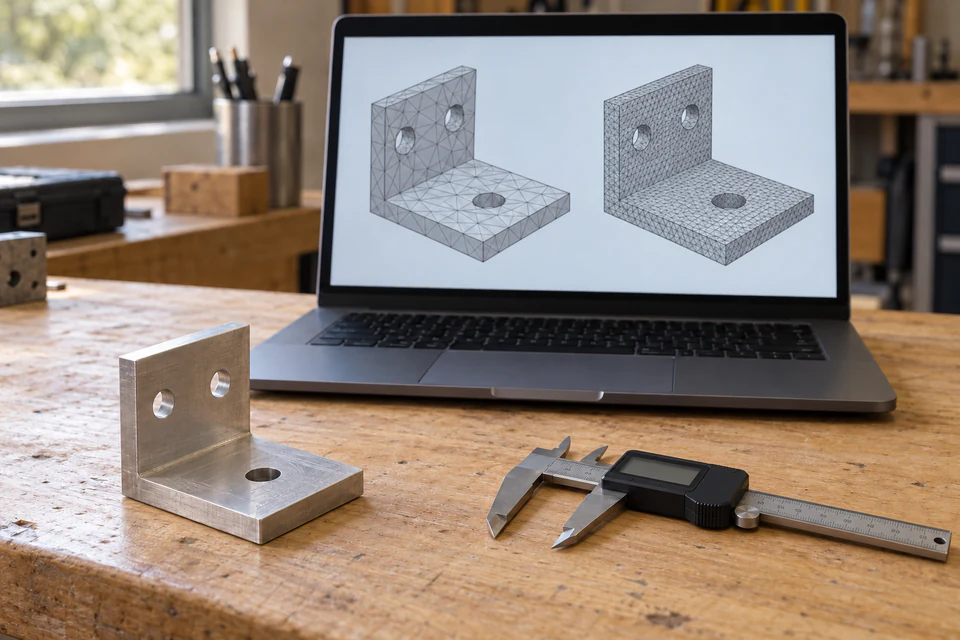
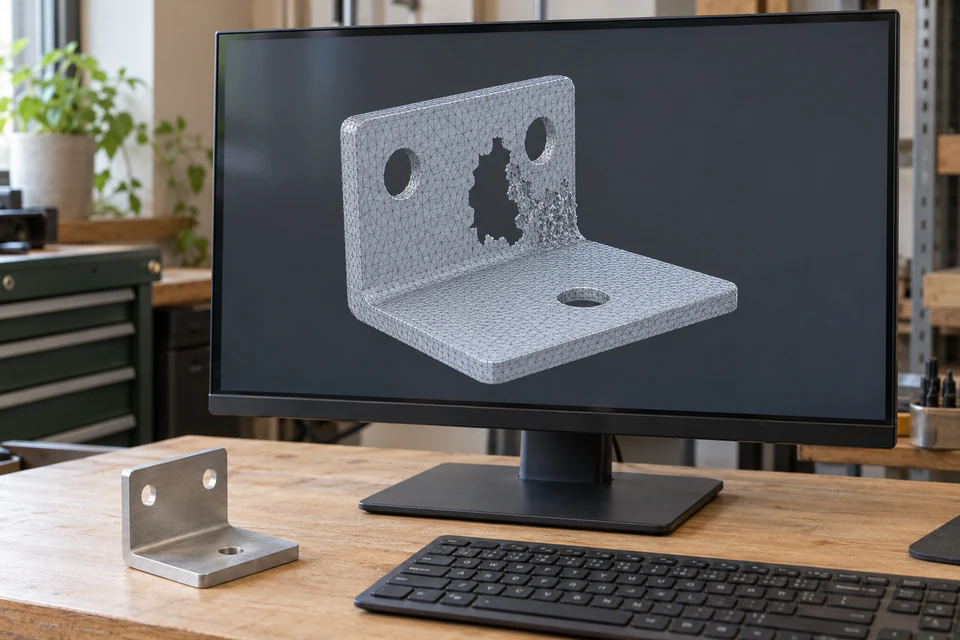
For a bracket with flat faces and a few holes, calipers and CAD may be faster. Measure thicknesses, hole centers, and mating surfaces, then build an editable model with deliberate dimensions. Scanning a damaged bracket can preserve the damage and add noise where you need a clean plane.
Reverse engineering often combines both methods. Use the scan as a reference for a curved shell, then measure mounting points separately. Restoration may prioritize matching a surviving contour; a custom-fit accessory may prioritize clearance around an existing object. Define which surfaces matter before choosing equipment.
This decision matrix connects the project to a reasonable starting method. The choices are editorial judgments, not measured equipment rankings.
| Project | Sensible starting method | Limitation to resolve |
|---|---|---|
| Miniature with fine relief | Close-range scanning or carefully controlled macro photogrammetry | Tiny edges and recesses may disappear |
| Small decorative object | Structured light; phone photogrammetry for textured surfaces | Undersides require another orientation |
| Mechanical part | Calipers and CAD, with scanning for complex contours | A mesh does not define engineering tolerances |
| Medium-size shell or sculpture | Wider-field dedicated scanner | Alignment across featureless areas |
| Large object | Suitable large-volume capture or a specialist service | Cumulative alignment error and access |
| One-time scanning project | Phone trial or a scoped service quotation | Cleanup and CAD may be separate deliverables |
How to Choose the Best 3D Scanner for 3D Printing
Size of the object
Measure the whole object and its smallest important feature. A scanner’s advertised object-size range describes a capture envelope, not a promise to reproduce every detail within it. A tall figurine with a delicate sword presents a different challenge from a similarly sized smooth block. Check working distance, access around the object, and room to reposition it.
Accuracy versus resolution
Accuracy concerns closeness to the real geometry under stated conditions. Resolution concerns distinguishable detail or sampling spacing, depending on the manufacturer’s definition. Neither number alone describes tracking stability or complete-object dimensional error. Ask whether a figure refers to one capture, a combined scan, or a validated measurement procedure. NIST’s research on structured-light scanner errors explains why performance evaluated under particular conditions may not represent a different object or application.
A claimed scanner accuracy is not a guaranteed printed-part tolerance. Alignment, smoothing, scale conversion, tessellation, slicing, printer calibration, material behavior, and orientation all influence the final result. Decide the acceptable error for your project before comparing specification sheets.
Capturing small details
Mesh density is the number and distribution of surface elements; adding triangles cannot recreate detail the sensor never observed. Texture capture records surface appearance, which can make a flat painted line look convincing on screen without creating raised geometry. Print resolution describes what the printer can form. Keep these concepts separate when judging a sample model.
Tracking and alignment
Tracking estimates the scanner’s position during capture; alignment brings separate captures into a shared coordinate system. Smooth cylinders and repeated patterns offer fewer distinctive geometric clues. Look for documentation of feature tracking, marker support where applicable, and manual alignment tools. An automatic alignment button still needs visual inspection around seams and mounting features.
Surface color and material
Reflective, transparent, very dark, or translucent surfaces can frustrate optical capture. A matte coating may help where the object and coating instructions permit it, but it changes the surface being measured. Do not assume a spray is harmless to paint, porous objects, or collectibles. If treatment is unacceptable, ask for a representative capture before purchasing.
Lighting and scanning environment
Photogrammetry benefits from even, diffuse light and consistent photographs. Active optical scanners have their own ambient-light limits; follow the specific manual rather than assuming brighter is better. Stabilize the support, remove moving clutter, and keep cables from pulling the scanner. A controlled indoor space makes troubleshooting easier than changing light and object position together.
Software and computer requirements
Check the actual scanner software, operating system version, processor architecture, memory, GPU requirements, and connection method. Slicer compatibility does not establish scanner compatibility. A mobile accessory may add another hardware and app dependency. Our existing laptop guide for 3D printing and CAD explains how to match the computer to each stage of the work.
Output formats
STL is a common geometry handoff; OBJ and PLY may carry additional information depending on the exporter. ASC commonly represents point data and is not automatically a slicer-ready surface. Check what each export actually contains. A file extension tells you the container, not whether the surface is complete or suitable for printing.
Post-processing workload
Inspect an unpolished sample, preferably with geometry resembling your own. Ask what was removed, filled, smoothed, or remodeled. A handsome render can conceal thin walls, double surfaces, and missing holes. The best 3D scan for your project preserves useful shape while leaving a cleanup task you can realistically complete.
Total cost of ownership
Include a stable mount, turntable if useful, suitable computer, permitted surface preparation, software licensing, and time spent learning. Also check return conditions and access to support. A cheaper scanner that repeatedly fails on your actual material can cost more in discarded effort than a service delivering one verified model.
Best 3D Scanner for Small Objects and Miniatures
The best 3D scanner for miniatures must recover the features you intend to print at the final scale. Faces, fingers, shallow fabric folds, and raised lettering are more demanding than a miniature’s overall silhouette. A published point-spacing figure does not guarantee that a thin blade or deeply recessed eye will survive reconstruction.
Distinguish three goals. A figurine copy needs recognizable sculpted geometry. A decorative object may tolerate modest smoothing. A functional miniature component needs dimensions and clearances checked independently. The same attractive scan can satisfy the first goal and fail the third.
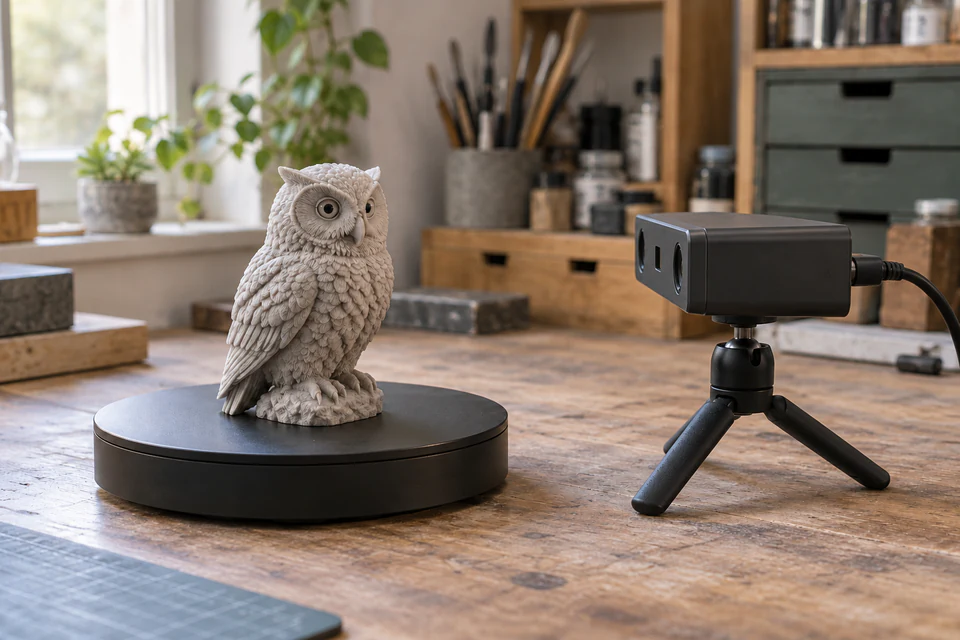
A turntable helps keep the object in a controlled capture region. It does not reveal the bottom or eliminate occlusion beneath an arm. Plan several orientations with common visible features for alignment. Support fragile pieces without covering the surface you need, and avoid moving flexible appendages between passes.
Thin and translucent elements are particularly difficult. An optical system may see through a clear wing, merge opposite sides, or miss a narrow tip. Increasing mesh density afterward will not fix missing observations. A painted metallic finish also needs different preparation from matte resin; do not treat every collectible as spray-compatible.
Seal Lite is one small-format example worth investigating for this use case. Its published specifications appear in the comparison below. That positioning makes it a candidate for small decorative geometry, not a verified miniature-detail winner. Ask for an inspectable sample showing features comparable to yours, including the mesh without its texture.
For especially tiny details, controlled macro photogrammetry or specialized small-object equipment may be more appropriate. Published research on focus-stacked macro photogrammetry demonstrates a specialized approach for small artifacts, rather than a guarantee for ordinary phone capture. Macro work introduces its own focus, lighting, and calibration demands; it is not an automatic low-cost shortcut. If the detail is central to the project and difficult to access, request a specialist feasibility assessment before buying a general-purpose scanner.
Choosing a Scanner for Small Parts and Larger Objects
A 3D scanner for small parts serves a different purpose when the part must fit a mechanism. A decorative knob can tolerate surface variation; a shaft bore, clip, or gasket interface may not. List the dimensions that control fit and decide how to verify them with appropriate measuring tools.
For an enclosure, scanning can recover the outer contour while CAD defines screw bosses, wall thickness, and connector openings. For an automotive trim piece, you may need the mating surface more than the visible finish. Access, mounting, and deformation matter: a flexible part can change shape between the scan and installation.
Moose Lite is a manufacturer-positioned medium-format example. Its wider published capture area may be useful when covering a larger shell or sculpture, while its specifications require different expectations for fine detail. A broad object-size range does not establish suitability for every large object or precision assembly.
Complex geometry remains a line-of-sight problem. Deep bores, hidden hooks, and enclosed cavities cannot be assumed present simply because the outside looks complete. Combine accessible measurements with the scan, or remodel a known design feature. For a fit-critical part, evaluate the complete capture-to-CAD-to-print process rather than selecting solely by a scanner’s accuracy headline.
Budget 3D Scanners — Under $500 and Under $1,000
Under $500: buy a manageable workflow
The best 3D scanner under 500 dollars is the one that fits your object and leaves room for the rest of the setup. Treat this as a spending category, not a current price ranking. Prices, bundles, taxes, shipping, and availability need checking immediately before an order.
Entry-level compromises can include a narrow capture window, more sensitive tracking, limited color capture, or additional manual cleanup. Determine which compromise matters to your work. A decorative scan does not need the same dimensional validation as a replacement mechanical component.
Someone searching for a cheap 3D scanner for 3D printer projects should first try one representative object through a phone workflow or obtain a sample dataset. That exercise reveals whether the difficult part is capture, cleanup, or CAD. Spending the whole budget on a sensor will not resolve a computer or modeling bottleneck.
Under $1,000: pay for a specific improvement
The best 3D scanner under 1000 dollars should offer a benefit you can identify: better handling of your object size, documented tracking options, suitable software tools, or a more complete accessory package. Higher spending does not guarantee better results on glossy, tiny, or deeply recessed features.
Ask whether the added capability reduces a recurring problem. A stable turntable can matter more than color texture for monochrome printing. Software that supports dependable alignment may matter more than a dense export. Confirm whether reverse-engineering tools are included, separately licensed, or unnecessary for your purpose.
Use this budget framework before comparing checkout totals:
| Approach | Favor it when | Include in the real cost |
|---|---|---|
| Existing phone | Textured objects and exploratory work | Processing, subscriptions if applicable, cleanup |
| DIY setup | Learning and customization are part of the goal | Components, calibration, failures, development time |
| Dedicated scanner | Similar objects recur and the software fits | Accessories, computer, training, mesh work |
| Scanning service | One difficult job needs a defined deliverable | Preparation, CAD work, verification, revisions |
| Calipers and CAD | Geometry is straightforward to measure | Modeling time and fit validation |
A cheap purchase becomes poor value when its limitations match every object you own. Conversely, extra expenditure is justified when it reliably removes a repeated obstacle. Compare complete project costs, including your time, without assigning imaginary hourly rates to commercial services.
Seal Lite vs Moose Lite — Which Fits Your Project?
These are published manufacturer specifications reviewed on October 26, 2026, not GuysPages measurements. They support a comparison of intended use, not a declaration that these are the top 3D scanners across the market. Both official product pages showed Sold out during this review; future stock and US fulfillment require another check.
| Published specification | Seal Lite | Moose Lite |
|---|---|---|
| Intended format / typical object size | Small; 10–300 mm | Medium; 15–1,500 mm |
| Claimed accuracy | 0.02 mm | 0.05 mm |
| Claimed resolution | 0.07 mm | 0.10 mm |
| Scanning technology / light | Structured light; blue light | Structured light; near-infrared |
| Working distance | 180–280 mm | 150–400 mm |
| Single capture area | 100 × 75 mm | 200 × 100 mm |
| Tracking description | Visual tracking | AI visual tracking |
| Listed exports | OBJ, STL, PLY, ASC | OBJ, STL, PLY, ASC |
| Product-page desktop OS list | Windows 10/11, 64-bit; macOS 12/13 | Windows 10/11, 64-bit; macOS 12/13/14 |
| Listed minimum computer | 8th-generation Core i5; 16 GB RAM; MX250 GPU, 2 GB VRAM | Same published minimum |
| Color texture | Monochrome | Monochrome |
| Practical strength, inferred from format | Close-range small-object work | Wider coverage for medium objects |
| Practical limitation to evaluate | Narrower field; tiny occluded detail | Fine-detail needs; alignment over larger surfaces |
| Best-fit project to investigate | Small figurines and decorative pieces | Larger shells, sculptures, and exterior part contours |
The separate JMStudio software page lists macOS 12/13/14, whereas the Seal Lite product table lists 12/13. These lists are not evidence of compatibility with newer systems or every processor architecture. Confirm the current installer for your exact machine. The published PC minimum is also not a promise of comfortable performance on a large reconstruction.
When Seal Lite makes more sense
Consider Seal Lite when your recurring projects fit close-range capture and small surface features matter more than broad coverage. Its specification advantage on paper needs checking against representative geometry. Plan for reorientation and mesh inspection; do not assume a nominal minimum object size establishes miniature quality.
When Moose Lite makes more sense
Consider Moose Lite when covering medium-size objects is the recurring task and the wider field is useful. It may be a more logical format for a larger sculpted surface than for a tiny face. Neither model’s published specifications replace a dimensional validation plan for functional parts.
How to Turn a 3D Scan into a 3D Print
Define and prepare the job
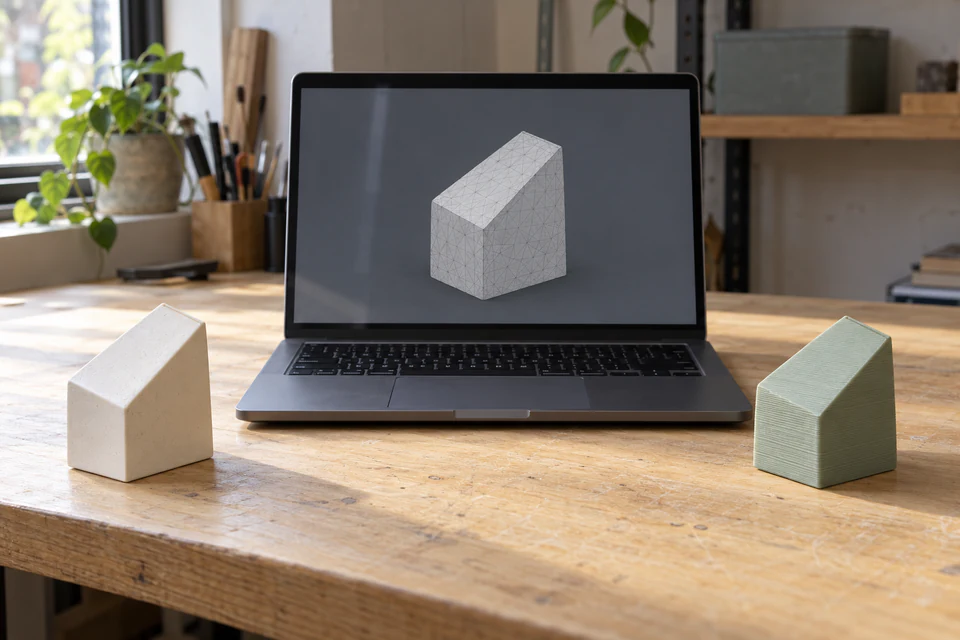
1. Define the model’s purpose. Decide whether you need a visual replica, a fitting template, or an editable engineering part. Write down the critical dimensions and acceptable deviations. Keep photographs and measurements of the original so later cleanup decisions have a reference.
2. Prepare the object and work surface. Stabilize the object, remove unrelated clutter, and plan access to hidden areas. Clean only as appropriate for the material. Apply any surface treatment solely with permission and according to its instructions; preserve an untreated dimensional reference when coating thickness could matter.
3. Select the capture method. Match the object, surface, and detail requirements to structured light, another documented scanner technology, or photogrammetry. For laser scanning for 3D printing, check the specific system’s operating procedure and measurement specification rather than treating the word laser as a quality guarantee. The two examples here use structured light.
Capture and verify alignment
4. Capture overlapping data. Move steadily, keep the surface within the documented working range, and preserve enough shared features between views. Pause to inspect coverage instead of accumulating more data after tracking has failed. Photograph or scan another orientation for the underside where the method supports it.
5. Check alignment. Examine merged passes at sharp edges and recognizable landmarks. Double contours or a step across a seam can indicate misregistration. Correct the alignment or recapture the region before smoothing. A polished surface can hide an alignment error while leaving the overall dimensions wrong.
Clean the data and build an appropriate mesh
6. Remove noise and artifacts. Delete the table, supports, floating fragments, and irrelevant background. Keep a raw copy before destructive changes. Use smoothing cautiously around edges and embossed detail; a cleaner-looking model is not necessarily a more faithful one.
7. Inspect missing and ambiguous geometry. Separate accidental scan gaps from intentional openings. A real through-hole still needs walls defining its interior. Automatically filling its entrance can make a decorative solid while destroying the feature you needed. Rescan an important missing surface whenever feasible.
8. Build or refine the mesh. Convert appropriate captured data into a surface using the workflow supported by your software. A point cloud contains samples; a polygon mesh connects vertices into faces. Reduce excessive complexity only after preserving the important features, and compare the result with the unmodified reference.
9. Check closure and manifold geometry. A watertight mesh has no accidental gaps in the boundary of the intended solid. For an ordinary closed manifold surface, each edge belongs to two faces, with consistent orientation. Dangling faces, self-intersections, and conflicting shells can leave the inside and outside ambiguous. A watertight container can still have a real opening at the top because its walls and rim form a closed solid boundary.
The Blender 3D Print Toolbox documentation explains checks for non-manifold edges and intersections. That versioned manual describes the geometry; use your installed version’s instructions for its interface. Passing a topology check does not establish printable wall thickness or dimensional accuracy.
Validate dimensions and export
10. Check scale and dimensions. Compare several independent dimensions with the original, preferably in different directions and locations. A correct overall length can coexist with a distorted hole. Resolve unit assumptions explicitly when transferring files; do not resize by eye until the object merely looks plausible on the build plate.
11. Remodel in CAD when needed. Rebuild functional planes, holes, and interfaces around measurements and intended relationships. Keep the scan as a reference for irregular contours. Converting a faceted mesh into a solid does not automatically produce a clean, editable design or restore the original tolerances.
12. Export a compatible format. Use a format supported by the next application and reopen the exported file. STL commonly carries the triangle geometry; a 3MF workflow can preserve explicit units and additional model information. See the 3MF Core specification. Keep both the raw capture and the editable working project.
Inspect the slicing result before printing
13. Review the model in the slicer. Confirm dimensions, orientation, wall survival, isolated islands, and supports in the layer preview. Investigate repair warnings instead of assuming an automatic fix preserved the design. Prusa’s model-repair documentation makes clear that automatic repair has limits; older platform-specific repair instructions need separate compatibility checks.
14. Prepare the print for your exact printer. Use the correct printer and material profile and follow the machine’s operating instructions. For a fit-critical design, print a small mating section first where practical. Check the finished part against the required dimensions before committing to a long build or relying on its fit.
Use this scan-to-print readiness checklist at the handoff:
- The intended surfaces are captured, and merged passes have no unexplained double edges.
- Background fragments are removed; important missing features are resolved deliberately.
- The intended solid has consistent surfaces, with topology problems investigated.
- Scale and critical dimensions agree with independent measurements.
- Thin features survive at the final print size; CAD work is complete where required.
- The exported file reopens correctly and the slicer preview preserves the intended structure.
Can You 3D Scan with a Phone for 3D Printing?
Yes, but the method matters. Photogrammetry reconstructs geometry from overlapping photographs; it can use ordinary camera images. Depth-based scanning needs supported sensors and an app that actually uses them. Do not assume every iPhone or Android phone provides the same depth hardware or reconstruction features.
For photogrammetry, select a rigid, textured object and use diffuse light. Walk around it in overlapping passes at different heights, maintaining focus and consistent camera settings. Capture enough views to cover the surface rather than meeting an arbitrary photo count. Apple’s Object Capture photography guidance recommends substantial neighboring-image overlap, with 70% as its target.
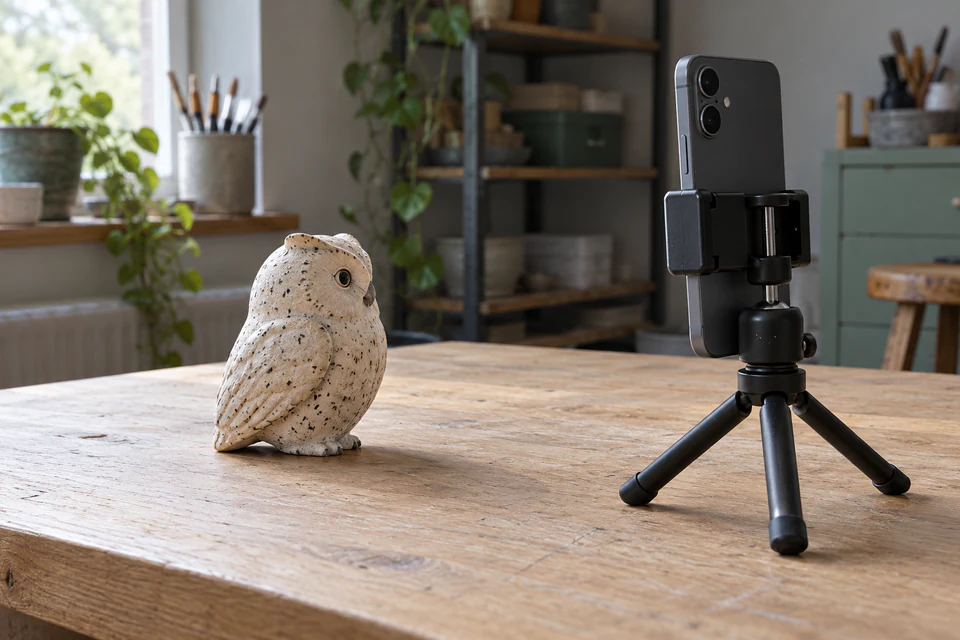
A glossy black shell and a transparent cup are poor first trials. A matte object with distinct surface patterns gives the reconstruction more recognizable features. Avoid digital zoom, motion blur, and changing exposure between every shot. Inspect the photographs before processing; repeated blurry frames do not add usable detail.
Phone depth capture can be convenient for broad shapes, but do not equate an attractive room-scale result with reliable miniature detail. Photogrammetry also needs scale verification when the workflow does not recover trustworthy dimensions. Check how the app exports geometry, whether processing is local or uploaded, and what subscription or export limits apply.
A phone is enough when you need an approximate decorative form, can tolerate experimentation, and are willing to clean the mesh. A dedicated scanner becomes more attractive when similar objects recur and you need a more controlled capture process. Either route still requires the same geometry and slicer checks.
DIY 3D Scanner vs Dedicated Scanner
A DIY 3D scanner for 3D printing can mean a camera and turntable photogrammetry rig, a structured-light experiment, or a custom capture setup. Specify which method you intend to build before estimating cost. A list of cheap components is not evidence of a calibrated, repeatable scanner.
DIY makes sense when learning the capture process is part of the reward. You can tailor lighting, mounts, and automation to a repeated object type. The tradeoff is time spent configuring cameras, processing datasets, troubleshooting alignment, and documenting settings that worked.
A dedicated system packages some of those decisions into supported hardware and software. It can reduce setup friction without eliminating operator technique or mesh repair. Compare documentation quality, export access, and support alongside the sensor specification.
Track the complete cost: components you already own, parts you must buy, paid processing if any, and the hours needed to obtain a usable model. If a single replacement part is the goal, an extended scanner-building project may be an expensive diversion. If building the capture system is itself the hobby, those hours can be worthwhile.
3D Scanning Services vs Buying Your Own Scanner
For one difficult object, a service can be the more rational purchase. The useful comparison is a defined deliverable against your complete ownership workflow. Ask whether the quotation includes preparation, multiple orientations, cleaned mesh, dimensional checks, and CAD reconstruction. Those are different jobs.
When requesting 3D scanning services for small parts, provide dimensions, material, photographs, access constraints, and the surfaces that control fit. State whether a surface coating is allowed and whether the original may be shipped or handled. Ask what happens if a hidden feature cannot be captured.
Request a sample deliverable or acceptance criteria rather than relying on a rendering. Clarify coordinate systems, units, file formats, measurement evidence, revision scope, and ownership of the resulting data. A service offering a raw mesh may still leave you with the CAD work.
Rental, where available with appropriate training and terms, can help evaluate recurring projects without immediate ownership. Buying becomes more sensible when the work repeats, you can maintain a consistent setup, and having the equipment available saves meaningful scheduling time. There is no universal break-even price without real quotations and your own workload.
What Is a 3D Scanner and Printer Combo?
A scanner captures physical geometry; a printer manufactures geometry from a digital model. In a normal workflow, software sits between them to align, repair, edit, and slice the data. They do not need to share a brand or form one appliance to work together.
If you are searching for the best 3D scanner printer combo, define the pairing by compatible exports, software, computer requirements, object scale, and printer capability. A bundle or demonstration of scanning followed by printing does not prove an unattended copying system.
Check each stage separately. Can the scanner recover the geometry? Can you repair and size it? Can the printer reproduce its thin features and material requirements? Buying both devices together does not answer those questions or remove the need for model preparation.
Is a 3D Scanner Worth It?
A scanner is worth considering when irregular physical shapes recur in your work, the capture method matches those surfaces, and you are prepared to finish the models. It is harder to justify for occasional simple brackets or a single difficult collectible.
For miniature hobby work, estimate how many original objects you actually need to digitize and whether the required detail can be captured. For repair work, ask whether CAD and direct measurements already describe most of the geometry. For recurring digital archiving, organized capture settings and stored raw data can make ownership more useful.
Professional tasks need a different decision threshold. If a dimension is critical, specify the measurement procedure and evidence needed to accept it. A consumer scanner’s advertised accuracy should not be treated as inspection certification.
Before buying, complete one representative project through capture, editing, and slicing using a sample dataset or another accessible method. Identify the slowest stage. Ownership has a stronger case when it solves that recurring obstacle and you can name the deliverable you expect from it.
Common 3D Scanning Mistakes
- Choosing by object size alone. A supported overall size does not establish recovery of the smallest useful feature. Compare both before committing to a capture method.
- Using uncontrolled lighting. Harsh reflections or changing illumination can spoil otherwise careful capture. Follow the requirements of the scanner or photography workflow.
- Leaving too little overlap. Separate views need shared information. Plan a path that maintains recognizable features rather than jumping between unrelated surfaces.
- Ignoring inaccessible areas. A clean exterior does not establish an accurate underside or deep bore. Reorient the object or document what must be measured another way.
- Continuing after tracking fails. More misregistered frames can increase cleanup. Stop, inspect the last sound region, and resume according to the software’s recovery procedure.
- Treating every surface alike. Transparent and reflective materials need a feasibility check. Preparation that helps scanning may be unacceptable for the object.
- Trusting apparent scale. Confirm dimensions after export and import. A plausible-looking model can still contain unit or alignment errors.
- Confusing mesh with CAD. Triangles describe a sampled surface. They do not supply editable hole dimensions, constraints, or an engineering drawing.
- Expecting a budget sensor to remove skilled work. Allow time for alignment and reconstruction. A lower purchase price does not make a difficult object easier.
- Printing an unchecked mesh. Inspect layer previews, thin features, and repair results. File export is a handoff, not proof of print readiness.
Final Buying Checklist
- Identify the objects you will scan repeatedly and their smallest necessary features.
- Choose approximate reproduction or dimensionally checked reconstruction as the goal.
- Compare phone, CAD, DIY, service, and scanner ownership for that workload.
- Inspect representative geometry without relying on color texture or a render.
- Verify the current software, exact computer support, exports, and accessory needs.
- Confirm stock, US shipping, complete checkout cost, returns, and support before ordering.
- Reserve time for cleanup, dimensional checks, CAD if needed, and a print trial.
Frequently Asked Questions
What is the best 3D scanner for 3D printing?
Choose by object scale, recoverable detail, surface behavior, and software workload. Close-range structured light is a sensible starting point for many small objects; wider-field capture suits larger surfaces. No published accuracy figure establishes a universal winner, and this guide does not claim a comparative hardware test.
Do I need a 3D scanner for a 3D printer?
No. You can print suitable existing STL or 3MF models or design your own in CAD. Scanning adds value when a physical surface is difficult to model from measurements. For simple dimensioned parts, calipers and CAD can provide a more direct route.
What is the best 3D scanner for miniatures?
Look for demonstrated recovery of similarly sized sculpted features, including recesses and thin elements. Check the actual mesh at the intended print scale. Seal Lite is a small-format candidate to investigate, but its specification sheet alone cannot establish that it preserves your miniature’s important detail.
Are cheap 3D scanners accurate enough for small parts?
Sometimes, depending on the required fit and how the result is verified. Decorative reproduction is more forgiving than a mating mechanical interface. Measure critical features independently and consider CAD reconstruction. A budget scanner’s claimed accuracy is not the tolerance of your finished printed part.
Can I scan an object and print it directly?
You can sometimes move quickly from a straightforward scan to slicing, but inspect the geometry first. Missing surfaces, double contours, wrong scale, and fragile details can remain in an exported STL. Even automatic repair may alter a feature you intended to preserve.
Can I use my phone to create a 3D-printable model?
Yes, using a suitable photogrammetry or supported depth workflow, followed by mesh preparation. Check your exact device and app. Rigid, textured objects under diffuse lighting are a better starting point than clear, shiny, or featureless surfaces. Verify scale before slicing.
Is a 3D scanner worth it for occasional projects?
Compare ownership with a phone trial, direct modeling, or a service delivering the required files. Occasional use can still justify ownership when the projects are suitable and experimentation is part of the hobby. For one demanding job, professional preparation may be more valuable than owning the sensor.
Is a $500 3D scanner enough for beginners?
It can be enough for appropriate objects if the total setup fits the budget. Check the computer, accessories, software, and return terms alongside the device. Treat $500 as a spending limit, not a guarantee of stock, current pricing, or effortless capture.
What is the difference between 3D scanning and CAD?
Scanning samples an existing surface. CAD defines intended geometry using dimensions, relationships, and modeling operations. You can use a scan as a reference while rebuilding an editable part. Importing a mesh into CAD does not automatically recover the original design history.
What file format should I use for 3D printing?
Use the format your next application supports. STL is a common geometry exchange; 3MF can carry units and additional model information. A slicer’s saved 3MF project may also store setup choices, as explained in PrusaSlicer’s project documentation. Neither extension guarantees a correct model or universal printer-ready instructions.
Can 3D scanners capture transparent or reflective objects?
Those surfaces are challenging for many optical methods. A permitted matte treatment can help some objects, but can affect the surface and measurement. Confirm material compatibility and whether treatment is allowed. When coating is unacceptable, ask a specialist about feasibility rather than assuming ordinary settings will work.
Is a 3D scanner and printer combo necessary?
No. Separate devices can work through supported geometry formats and a suitable slicer. Evaluate capture quality, mesh preparation, computer compatibility, and printing capability independently. A package combining hardware does not remove the software and validation steps between the physical object and the finished print.